
 Sale
Sale


Tuning Made Easy: Why Guitar Tuna Rocks for Every Musician
When it comes to tuning your axe, you want precision, speed, and simplicity. Enter Guitar Tuna, the ultimate tool that every guitarist needs in their toolkit. Whether you’re a seasoned pro or just starting out, this app is going to change the way you think about tuning your guitar. No more guesswork or fumbling with clip-on tuners. With Guitar Tuna, you’re dialing in that perfect pitch faster than you can say ‘rock and roll.’
What is Guitar Tuna?
Guitar Tuna is not just another tuning app; it’s a complete musician’s toolkit wrapped in one slick package. It’s user-friendly, accurate, and packed with features that will keep your instrument sounding its best. From acoustic to electric guitars, basses, ukuleles, and even banjos, this app covers all bases. In the world of tuning apps, it stands out like a legendary guitar solo.
Why Guitar Tuna is the Go-To Choice for Musicians
- Ease of Use: The interface is clean and intuitive. You don’t need a manual; just open the app and start tuning.
- Precision: It uses advanced algorithms for pitch detection, ensuring you hit the right notes every time.
- Versatile Tuning Options: Choose from standard tuning, drop D, open G, and countless others. Your creativity won’t be stifled!
- Practice Features: Not just a tuner, it offers chord libraries, metronomes, and games to sharpen your skills while you jam.
Guitar Tuna vs. Tronicaltune: A Showdown
So, you might be wondering how Guitar Tuna stacks up against something like Tronicaltune, another gear that’s been making waves in the world of guitar tuning. Let’s break it down:
Recommended gear: Battery Pack for Min-ETune/ GForce
Tronicaltune Overview
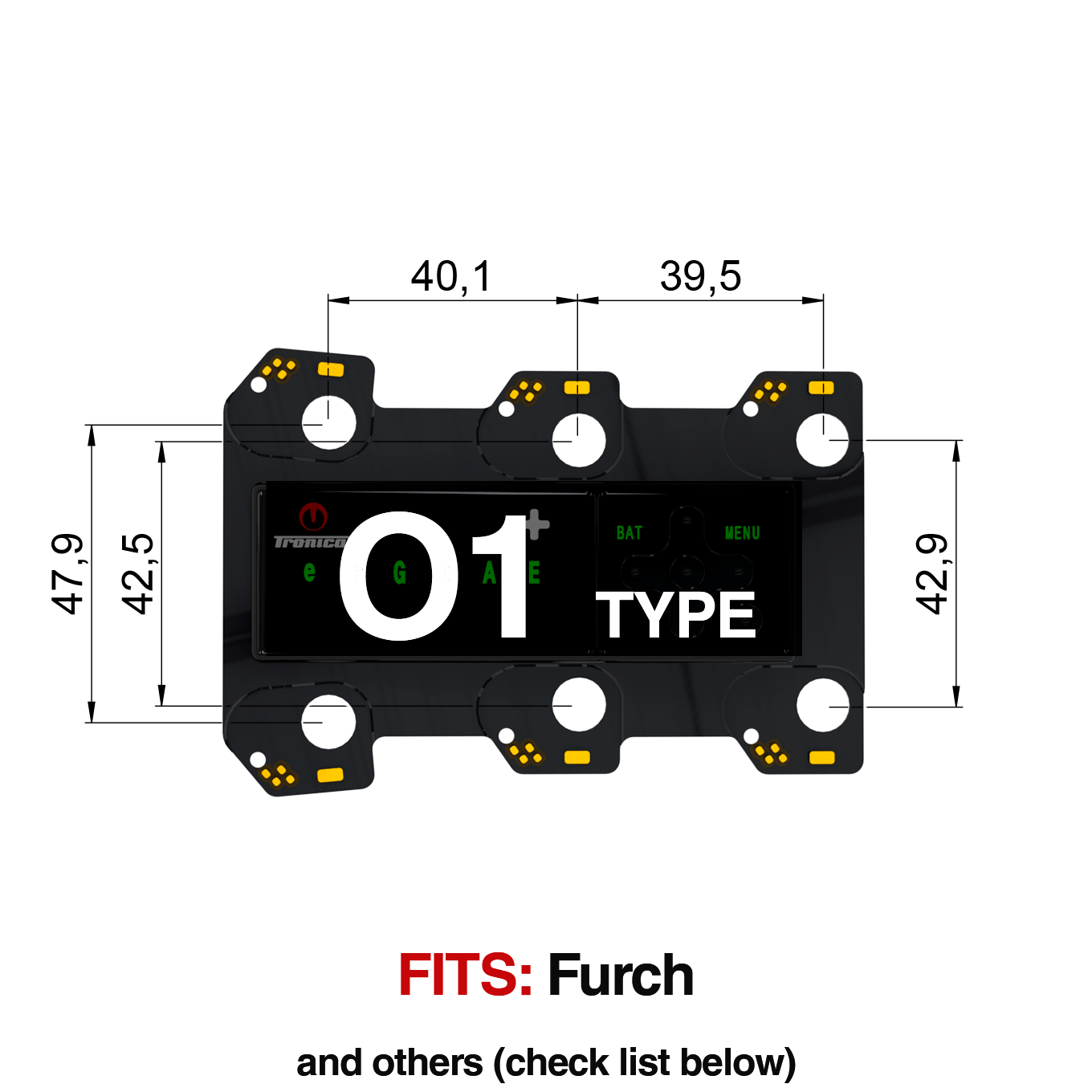
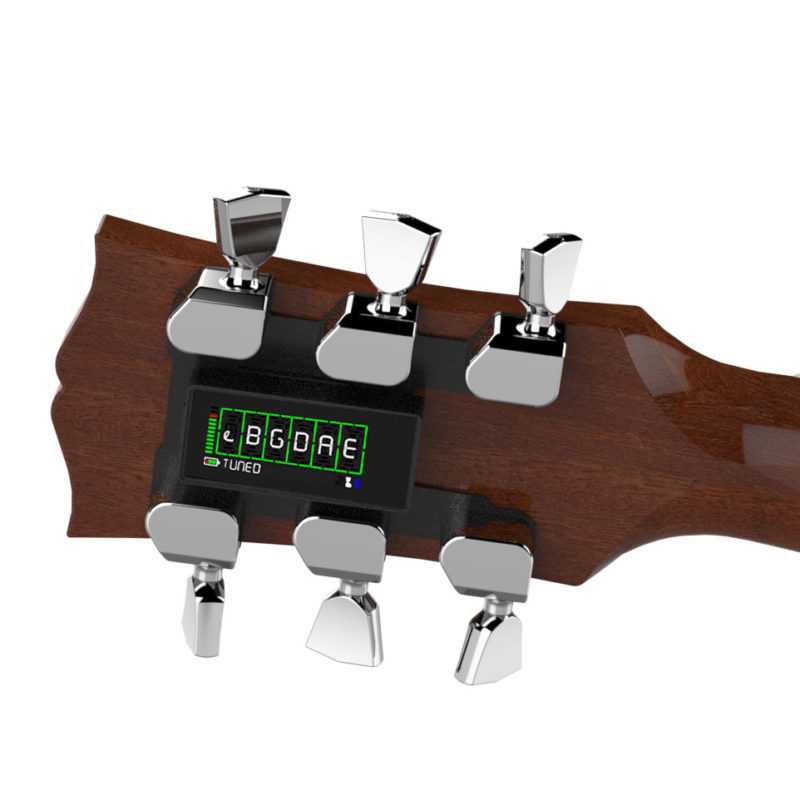
Tronicaltune is an innovative automatic guitar tuner that takes the hard work out of tuning. Once you install it on your guitar, you can tune with the push of a button. It’s like having a personal guitar tech right there with you, ready to get you in tune without the hassle. But, does it match up with the versatility that Guitar Tuna offers?
Pros of Guitar Tuna
- Low-cost app (often free!) while offering myriad features.
- Personalized for each instrument type, helping you get the best sound.
- Perfect for players at all levels, including beginners.
Cons of Guitar Tuna
- Dependent on your smartphone battery and mic quality.
- Requires a bit of a learning curve for all the features.
Pros of Tronicaltune
- Automatic tuning saves you time and hassle before gigs.
- Accurate and convenient for quick changes on stage.
- Works seamlessly with various guitar models, especially if you’re into brand-specific tuners.
Cons of Tronicaltune
- Higher price point compared to a free app.
- Installation may require technical knowledge.
- More limited in its tunings compared to Guitar Tuna’s vast library.
Real-World Uses and Recommendations
In real-world scenarios, the choice often boils down to what you need as a guitarist. If you’re jamming with your buddies in the garage, Guitar Tuna is your best friend. It’s quick, easy, and you’ve got it in your pocket. For gigging musicians, Tronicaltune shines when you need to switch tunings on the fly without missing a beat. Imagine being on stage, and having the ability to change to Drop D without missing a verse—pure gold!
Recommended gear: C5 Type Tronicaltune Plus Guitar Tuner
Battery Pack Options for Tronicaltune
If you’re leaning towards Tronicaltune, it’s essential to ensure you have the right accessories to keep it running smoothly. The Battery Pack for Min-ETune/GForce is a great addition to ensure your tuner doesn’t run out of juice mid-performance. Keeping your gear in top condition is key to rocking out seamlessly!
Conclusion: Which Tuner Should You Choose?
Ultimately, the decision between Guitar Tuna and Tronicaltune boils down to your personal style and needs. If you’re all about the convenience and ease during casual playing, Guitar Tuna is the way to go. But if you’re a serious performer who values speed and efficiency, then investing in a Tronicaltune system is wise. Either way, you’ll want to keep your instrument sounding fresh, and both of these products deliver.
Recommended gear: B1 Type Tronicaltune Plus Guitar Tuner
FAQs
1. Is Guitar Tuna really free?
Yep! Guitar Tuna is free to download, with some in-app purchases for advanced features.
2. Can I use Guitar Tuna on all types of guitars?
Absolutely! It works for acoustic, electric, bass, and even ukuleles.
3. What makes Tronicaltune different from other tuners?
It automates the tuning process, letting you tune with just a button press, which is a game changer for performing artists.
4. Do I need any special tools to install Tronicaltune?
Basic installation tools are usually needed, but it varies based on your guitar model.
5. How often should I tune my guitar?
Tune your guitar before each session or performance for the best sound.
{ “@context”: “https://schema.org”, “@type”: “Article”, “headline”: “Tuning Made Easy: Why Guitar Tuna Rocks for Every Musician”, “author”: { “@type”: “Person”, “name”: “Rock Guitarist” }, “datePublished”: “2023-10-10”, “mainEntityOfPage”: { “@type”: “WebPage”, “@id”: “https://www.example.com/guitar-tuna” }, “image”: “https://www.example.com/image.jpg”, “articleBody”: “When it comes to tuning your axe, you want precision, speed, and simplicity. Enter Guitar Tuna, the ultimate tool that every guitarist needs in their toolkit. Whether you’re a seasoned pro or just starting out, this app is going to change the way you think about tuning your guitar. No more guesswork or fumbling with clip-on tuners. With Guitar Tuna, you’re dialing in that perfect pitch faster than you can say ‘rock and roll.’…” }
