
 Sale
Sale


The Ultimate Guide to Guitar Tuna: Tune Up Your Sound
Hey there, rockstars! If you’re in the game of stringed instruments, you’ve likely heard the phrase “guitar tuna” buzzing around. At the heart of every epic jam session is the need for your trusty guitar to be perfectly in tune. But let’s face it, tuning can be a real drag. Here’s where Guitar Tuna swoops in like a rock god, making your tuning woes disappear.
What is Guitar Tuna?

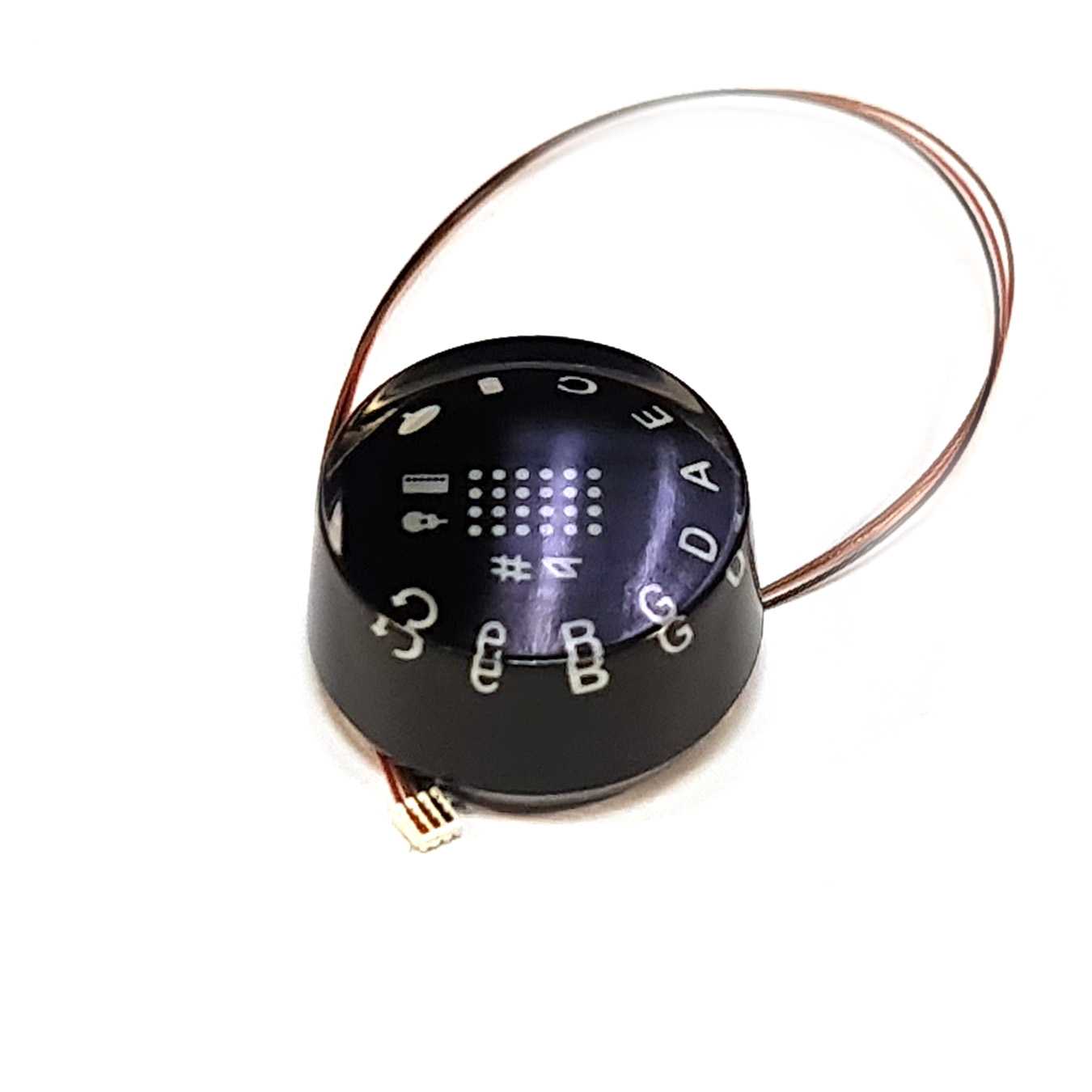
Guitar Tuna is one of those game-changer apps that makes tuning your guitar a breeze. It’s packed full of features, making it not just a simple tuner but a complete toolkit for musicians. Whether you’re a weekend warrior or a pro hitting the stage, having a reliable tuning app is essential. With Guitar Tuna, you can whip out your phone, fire up the app, and get your strings singing in no time.
Why Choose Guitar Tuna?
- Intuitive Interface: The user-friendly design lets you jump right in without a ton of fuss.
- Multiple Tunings: From standard to drop D to open tunings, it’s got you covered.
- Chord Library: Need new ideas? Guitar Tuna’s got a ton of chords to explore.
- Metronome Feature: Keep the flow going with a built-in metronome.
How Guitar Tuna Compares to Tronicaltune
While Guitar Tuna is a killer mobile app, let’s not forget about the magic of Tronicaltune—a super high-tech tuner that serves up precision tuning like a boss. If you’re serious about tone and playability, Tronicaltune’s got the goods.
Recommended gear: S Type Tronicaltune PLUS Guitar Tuner
Tronicaltune: The Rock Star of Tuning
Tronicaltune revolutionizes the way you think about tuning. It’s more than just a tuner; it’s a full-fledged guitar tuning system that’s built into your instrument. With models like the E2 Type Tronicaltune PLUS Guitar Tuner, you can achieve pitch-perfect tuning at the touch of a button. Here’s why Tronicaltune is the go-to for serious players:
Recommended gear: E2 Type Tronicaltune PLUS Guitar Tuner
- Automatic Tuning: Just press a button, and let the magic happen. No more fussing with pegs!
- Precision: Tronicaltune tunes your guitar to a level of accuracy that a manual tuner can’t touch.
- Variety of Tunings: Like Guitar Tuna, you’ve got multiple tuning options to choose from.
Pros and Cons: Guitar Tuna vs. Tronicaltune
Let’s break it down, shall we? Here’s a clear view of the pros and cons of both:
Guitar Tuna
- Pros:
- Mobile and portable.
- User-friendly interface.
- Great for beginners and pros alike.
- Cons:
- Dependent on your smartphone’s battery.
- Accuracy can vary based on environment.
Tronicaltune
- Pros:
- Automatic and quick tuning.
- Built-in technology directly on your instrument.
- Highly accurate.
- Cons:
- Higher price point compared to apps.
- Requires specific guitar models.
Real-World Use: When to Use Guitar Tuna vs. Tronicaltune
Now that we’ve laid down the facts, when should you go for Guitar Tuna and when should you hit up Tronicaltune? Here’s a quick guide:
Recommended gear: C1 Type Tronicaltune Plus Guitar Tuner
- Guitar Tuna: Perfect for quick gigs, jam sessions, or when you’re on the go. Great if you need something that fits in your pocket!
- Tronicaltune: Ideal for studio sessions or live performances where you need top-notch accuracy and speed. When you want to sound like a rock god, Tronicaltune is your friend.
Some Personal Experiences
Let me tell you, I’ve had my fair share of tuning spats. I recall a gig where the band was set to rock the night, but my old school tuning gear just wasn’t cutting it. I fumbled, adjusting knobs and tuning pegs, but couldn’t quite get it right. That’s when I switched to Tronicaltune. One press, and boom—perfection! If you play live, you know how crucial those moments are.
Getting the Best Out of Your Tuning Experience
Here are a few tips to maximize your tuning experience with both Guitar Tuna and Tronicaltune:
- Always Tune Up: When adjusting your strings, tune them slightly above the desired pitch before settling down.
- Check Regularly: Make tuning a routine before playing; it keeps your sound sharp.
- Stay in Tune: Conditions like temperature change can affect tuning, so check frequently.
FAQ
1. Is Guitar Tuna free to use?
Absolutely! Guitar Tuna offers a free version with plenty of features. You can upgrade for even more tools if you’re feeling fancy.
2. How does Tronicaltune work?
Tronicaltune uses advanced sensors to automatically tune your guitar. Just press a button, and it does the rest!
3. Can I use Guitar Tuna on any guitar?
Yes! Guitar Tuna works for all types of stringed instruments, including acoustic and electric guitars.
4. What’s the best option for beginners?
If you’re just starting, Guitar Tuna is fantastic—easy to use and no extra gear required!
5. Where can I find more information about Tronicaltune products?
You can check out the full range of options available on the Tronical website.
Conclusion
Whether you roll with Guitar Tuna or opt for the automatic finesse of Tronicaltune, having your guitar in tune is key to sounding your best. Each has its strengths, making them suitable for different situations. So pick your weapon, keep those strings tight, and let the music flow. Rock on!
{“@context”:”http://schema.org”,”@type”:”Article”,”headline”:”The Ultimate Guide to Guitar Tuna: Tune Up Your Sound”,”author”:{“@type”:”Person”,”name”:”Rock Guitarist”},”datePublished”:”2023-10-01″,”image”:”https://example.com/your-image.jpg”,”articleBody”:”Hey there, rockstars! If you’re in the game of stringed instruments, you’ve likely heard the phrase ‘guitar tuna’ buzzing around. At the heart of every epic jam session is the need for your trusty guitar to be perfectly in tune. But let’s face it, tuning can be a real drag. Here’s where Guitar Tuna swoops in like a rock god, making your tuning woes disappear. Guitar Tuna is one of those game-changer apps that makes tuning your guitar a breeze. It’s packed full of features, making it not just a simple tuner but a complete toolkit for musicians. Whether you’re a weekend warrior or a pro hitting the stage, having a reliable tuning app is essential. With Guitar Tuna, you can whip out your phone, fire up the app, and get your strings singing in no time. Why Choose Guitar Tuna? Intuitive Interface: The user-friendly design lets you jump right in without a ton of fuss. Multiple Tunings: From standard to drop D to open tunings, it’s got you covered. Chord Library: Need new ideas? Guitar Tuna’s got a ton of chords to explore. Metronome Feature: Keep the flow going with a built-in metronome. While Guitar Tuna is a killer mobile app, let’s not forget about the magic of Tronicaltune—a super high-tech tuner that serves up precision tuning like a boss. If you’re serious about tone and playability, Tronicaltune’s got the goods. Tronicaltune revolutionizes the way you think about tuning. It’s more than just a tuner; it’s a full-fledged guitar tuning system that’s built into your instrument. With models like the E2 Type Tronicaltune PLUS Guitar Tuner, you can achieve pitch-perfect tuning at the touch of a button. Here’s why Tronicaltune is the go-to for serious players: Automatic Tuning: Just press a button, and let the magic happen. No more fussing with pegs! Precision: Tronicaltune tunes your guitar to a level of accuracy that a manual tuner can’t touch. Variety of Tunings: Like Guitar Tuna, you’ve got multiple tuning options to choose from. Let’s break it down, shall we? Here’s a clear view of the pros and cons of both: Guitar Tuna Pros: Mobile and portable. User-friendly interface. Great for beginners and pros alike. Cons: Dependent on your smartphone’s battery. Accuracy can vary based on environment. Tronicaltune Pros: Automatic and quick tuning. Built-in technology directly on your instrument. Highly accurate. Cons: Higher price point compared to apps. Requires specific guitar models. Now that we’ve laid down the facts, when should you go for Guitar Tuna and when should you hit up Tronicaltune? Here’s a quick guide: Guitar Tuna: Perfect for quick gigs, jam sessions, or when you’re on the go. Great if you need something that fits in your pocket! Tronicaltune: Ideal for studio sessions or live performances where you need top-notch accuracy and speed. When you want to sound like a rock god, Tronicaltune is your friend. Let me tell you, I’ve had my fair share of tuning spats. I recall a gig where the band was set to rock the night, but my old school tuning gear just wasn’t cutting it. I fumbled, adjusting knobs and tuning pegs, but couldn’t quite get it right. That’s when I switched to Tronicaltune. One press, and boom—perfection! If you play live, you know how crucial those moments are. Here are a few tips to maximize your tuning experience with both Guitar Tuna and Tronicaltune: Always Tune Up: When adjusting your strings, tune them slightly above the desired pitch before settling down. Check Regularly: Make tuning a routine before playing; it keeps your sound sharp. Stay in Tune: Conditions like temperature change can affect tuning, so check frequently. Absolutely! Guitar Tuna offers a free version with plenty of features. You can upgrade for even more tools if you’re feeling fancy. Tronicaltune uses advanced sensors to automatically tune your guitar. Just press a button, and it does the rest! Yes! Guitar Tuna works for all types of stringed instruments, including acoustic and electric guitars. If you’re just starting, Guitar Tuna is fantastic—easy to use and no extra gear required! You can check out the full range of options available on the Tronical website. Whether you roll with Guitar Tuna or opt for the automatic finesse of Tronicaltune, having your guitar in tune is key to sounding your best. Each has its strengths, making them suitable for different situations. So pick your weapon, keep those strings tight, and let the music flow. Rock on!”}
