
 Sale
Sale


Understanding the Basics: A Guitarist’s Guide to Using a Tuner Effectively
Whether you’re a novice strumming your first chords or an experienced player perfecting your craft, tuning your guitar is one of the essential skills every guitarist should master. In a world where even the smallest tonal discrepancies can affect your sound, using a tuner effectively can be a game-changer. In this guide, we’ll explore different types of tuners, how to use them, and a few best practices to keep you playing in tune.
Types of Guitar Tuners
Before diving into how to use a tuner effectively, it’s important to understand the different types available:
1. Clip-On Tuners
These compact devices clip onto the headstock of your guitar and measure vibrations. They’re highly portable and perfect for tuning in noisy environments.
2. Pedal Tuners
Used primarily by electric guitarists, pedal tuners are placed on the pedalboard. They can be very accurate and often include additional features like true bypass and mute options.
3. Smartphone Apps
With a plethora of apps available, you can turn your smartphone into a tuner. Apps use your device’s microphone to analyze sound, making them a convenient option for quick checks.
4. Chromatic Tuners
These tuners can detect all notes in the chromatic scale, giving you the flexibility to tune to alternate tunings. They’re versatile and suitable for guitarists experimenting with various styles.
How to Use a Tuner Effectively
Now that you’re familiar with different types of tuners, let’s explore how to use them effectively.
Step 1: Know Your Standard Tuning
For standard tuning, the notes from the lowest to the highest string are E, A, D, G, B, and E. Familiarizing yourself with this will help you quickly check your tuning.
Step 2: Pluck Each String
– Start with the sixth string (low E).
– Pluck the string gently and let it ring.
– Observe the tuner’s reading.
If your string is sharp (higher in pitch than E), you will need to lower the tension. If it’s flat (lower in pitch), you’ll need to tighten the string. Adjust until the tuner indicates you are in tune.
Step 3: Tune in the Right Environment
Environmental factors can affect your tuning. Tune in a quiet space, away from other instruments or noises. This could mean stepping outside or finding a private room in your home.
Step 4: Check Your Intonation
Once your guitar is in tune, play a few notes along the fretboard. Intonation refers to whether the notes on the fretboard are in tune with the open strings. If notes are consistently sharp or flat, your guitar may need adjustments at the bridge and nut.
Real-World Example: Rehearsing in a Band
Picture yourself in a band rehearsal. Everyone is getting set up, and some members are tuning using their clip-on tuners. You pull out your pedal tuner and step up to jam.
When it’s your turn to solo, you pluck the low E string, and the tuner lights up green—perfectly in tune. However, as you switch to the third fret on the E string, the note sounds off.
You check the tuner again—it reads sharp. This is a moment where knowing your tuning method matters. You adjust the bridge slightly to correct the intonation and get back to performing confidently.
Tips for Using Your Tuner Like a Pro
Here are a few additional tips to ensure you’re getting the most out of your tuner:
1. Trust Your Ears
Even with a tuner, it’s essential to develop your ear. Familiarize yourself with how an in-tune guitar sounds. Over time, you’ll be able to recognize when something is off before even checking the tuner.
2. Re-tune Regularly
Changes in temperature and humidity can affect your guitar’s tuning. It’s good practice to check your tuning often, especially before performances or recording sessions.
3. Use a Tuner with a Calibration Feature
If you play with other instruments, a tuner with a calibration feature can help you adjust to different pitch standards. This is particularly useful in genres like jazz where tuning may vary.
4. Explore Automatic Tuning Solutions
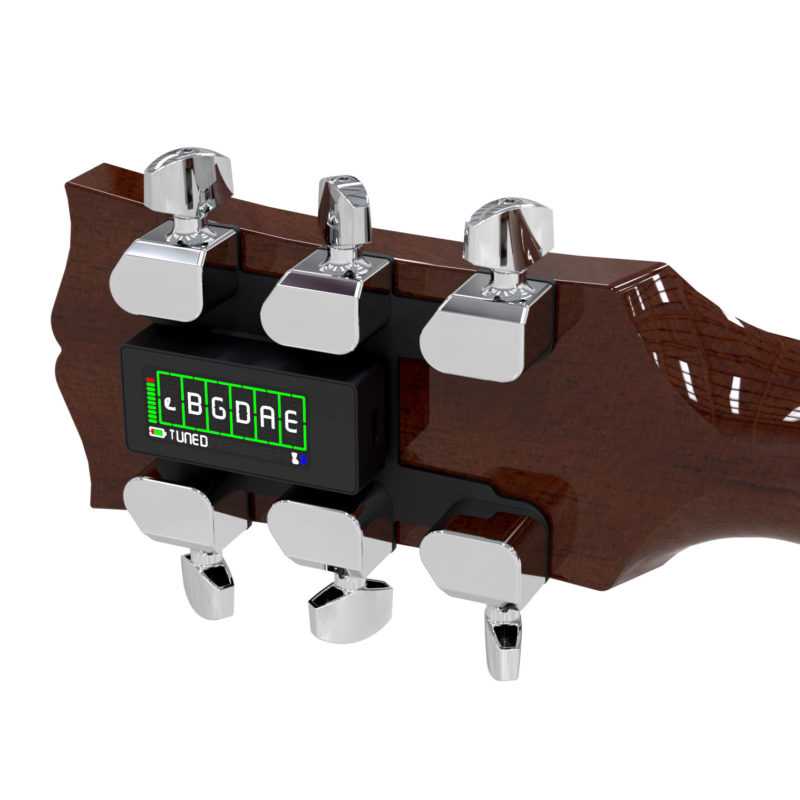
Tools like the TronicalTune offer a fully automatic solution for tuning. Just press a button, and it tunes your guitar without you needing to do any of the manual work. While it may not replace your traditional tuner, it can be a helpful addition to your toolkit, especially when you’re on the go or in a hurry.
The Importance of Tuning in Performance
Imagine you’re performing at a local venue. The energy is high, and the crowd is excited. You strum your first chord, and instead of the rich harmony you expect, the sound is off. The disappointment is palpable, not just for you but for the audience as well.
This scenario demonstrates the importance of regular tuning outside of practice. Players often overlook this and the reality is—if you don’t want to lose the vibe onstage, it’s critical to stay on top of your guitar’s tuning.
Wrapping Up
Using a tuner effectively is one of the simplest ways to elevate your playing. Whether you’re utilizing a clip-on, pedal, or a smartphone app, understanding how to tune your guitar can enhance your musical experience immensely.
Remember to trust your ears, re-tune regularly, and explore features that can improve your tuning process, like the TronicalTune for those looking for automatic solutions.
Finally, practice makes perfect. Keep tuning alongside your practice sessions, and soon enough, you’ll not only be a better guitarist but also one who can confidently play in tune no matter the setting. Happy strumming!
For a real-world fix: TronicalTune product details.
Quick tip: the TronicalTune approach.
