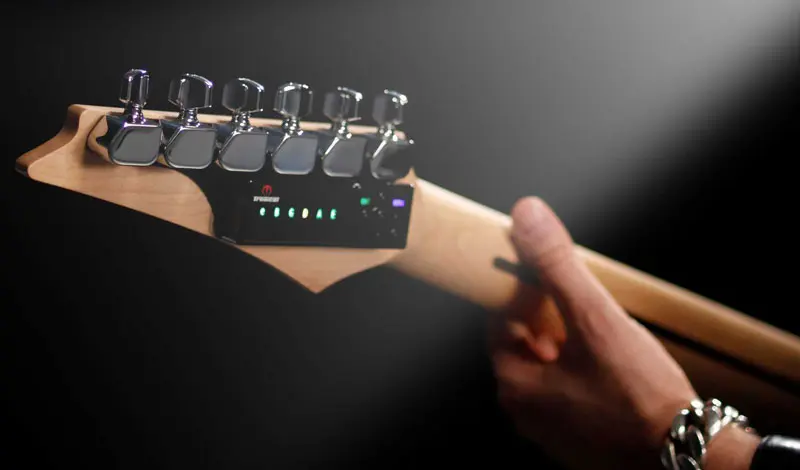
Tuner for Guitar
Tune Up Your Skills with Guitar Tuna: The Ultimate Guide

Feb
Tune Up Your Skills with Guitar Tuna: The Ultimate Guide
So you wanna get your guitar sounding just right? Enter Guitar Tuna, the app that’s got your back. Whether you’re jamming in your room or on the road, this nifty tool is ready to deliver pitch-perfect tuning without the fuss. Let’s dive in and see why Guitar Tuna is the secret weapon every musician should have in their arsenal.
What is Guitar Tuna?
Guitar Tuna is a user-friendly tuning app designed for both seasoned pros and newbies alike. It’s packed with features tailored to keep your guitar (and other stringed instruments) sounding sweet. Available on both iOS and Android, this app can help you tune your guitar accurately and efficiently, no matter where you are.
Why You Should Use Guitar Tuna
Here’s the deal: tuning can be a drag, especially when you’re trying to play with your buddies or lay down tracks in the studio. With Guitar Tuna, those days of fumbling with pitch pipes or clip-on tuners are over. Let’s break down the pros and cons of this game-changing app:
Pros:
- Accuracy: Guitar Tuna uses advanced algorithms to ensure you’re always in tune.
- User-Friendly: It’s got a clean interface and is super easy to navigate.
- Multiple Instruments: Not just for guitars! It covers ukuleles, mandolins, and more.
- Fun Features: Games and exercises to sharpen your ear and improve your skills.
- Offline Capability: No signal? No problem. You can still tune up!
Cons:
- Ads: The free version comes with ads that can be a bit distracting.
- Limited Features in Free Version: Some advanced features are locked behind a paywall.
Getting Started with Guitar Tuna
Alright, let’s get you rolling. First things first, download the app from [the App Store](https://apps.apple.com/us/app/guitar-tuna/id1202531297) or [Google Play](https://play.google.com/store/apps/details?id=com.ovelin.guitartuna&hl=en_US&gl=US). Once you’re all set up, fire it up and let’s get to tuning.
Recommended gear: Battery Pack for Dusk Tiger
Recommended gear: TronicalTune Typ H SLS Gold Refurbished for Taylor Guitars
Step-by-Step Tuning Guide
- Select Your Instrument: The app allows you to choose the type of guitar or stringed instrument you’re using.
- Activate the Tuner: Hold your phone near the guitar’s soundhole or strings. The app listens and analyzes the pitch.
- Follow the Indicators: Guitar Tuna uses a needle-style display to show how close you are to being in tune. Green means you’re golden!
Real-World Use Cases
Ever been in a jam session when someone’s guitar just wouldn’t sound right? With Guitar Tuna in your pocket, you’ll always be ready to tune on the fly. Plus, it’s super handy for quick adjustments during rehearsals or gigs.
Recommended gear: Compact Guitar Pick Holder – Stylish and Portable Accessory
From Garage Bands to Stages
Whether you’re strumming in the garage or rocking out on stage, Guitar Tuna fits right into your routine. It’s like having a roadie on your phone—always there to keep your sound sharp. Plus, you can use it in combination with other gear, like the Compact Guitar Pick Holder, ensuring you’re never caught without a pick or out of tune.
FAQ About Guitar Tuna
1. Is Guitar Tuna free to use?
Yes, but while many features are free, there’s a premium version that unlocks additional features.
2. Can I tune other instruments with Guitar Tuna?
Absolutely! Guitar Tuna isn’t just for guitars. It supports ukuleles, basses, and more.
3. Does it work offline?
Yes, you can tune your instrument even without an internet connection, making it perfect for outdoor gigs.
4. How accurate is Guitar Tuna?
It’s very accurate and uses high-level tuning algorithms, so you can trust it to get your sound right.
5. Can I use Guitar Tuna for different tunings?
For sure! You can select from various tunings, including standard, drop D, and others.
Conclusion: Make Guitar Tuna Your Tuning Pal
Bottom line: Guitar Tuna is a must-have for any guitarist out there. It’s reliable, easy to use, and perfect for the guy or gal who needs to stay in tune while living that rock ‘n’ roll life. If you’re serious about your sound, consider adding a solid accessory like the TronicalTune Typ H SLS Gold Refurbished for Taylor Guitars to your rig for top-notch performance.
So, grab your guitar, download Guitar Tuna, and let’s hit the stage or just your living room with the right sound. Rock on!
{
“@context”: “https://schema.org”,
“@type”: “Article”,
“headline”: “Tune Up Your Skills with Guitar Tuna: The Ultimate Guide”,
“image”: “https://example.com/path/to/image.jpg”,
“author”: {
“@type”: “Person”,
“name”: “Rock Star Writer”
},
“datePublished”: “2023-10-10”,
“mainEntityOfPage”: {
“@type”: “WebPage”,
“@id”: “https://example.com/tune-up-your-skills-with-guitar-tuna”
}
}