Tuner Reading: 4 Simple Checks Before You Turn the Peg
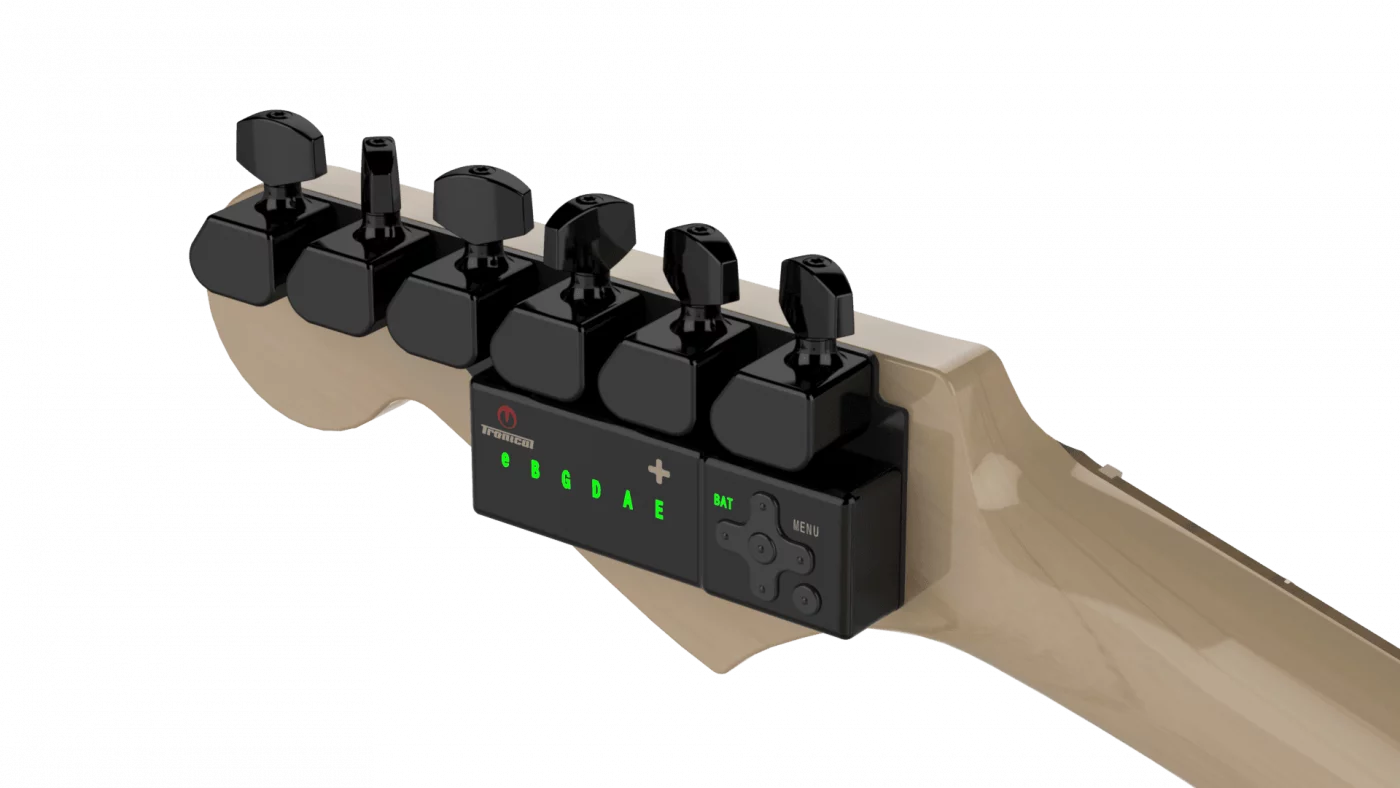
If your tuner reading keeps moving, the display is often telling you something useful, not failing. A pitch detector can only react to the note it hears, so the first job is to make sure you are measuring the right string, in the right mode, with a clean input. That matters whether you use a clip-on, a pedal, a phone app, or an automatic system like TronicalTune, which detects pitch and then adjusts motorized pegs on a compatible guitar.
The checks below stay focused on the reading itself. They do not replace a full setup, and they are not about forcing a guitar into tune. They are a practical way to read a moving display more accurately before you decide what to change.

1. Check which string and target note you are measuring
Start with the most basic question: are you looking at the string you meant to tune, and is the tuner set to the note you actually want? A display can appear to wander simply because the tuner is listening to a different string, or because the target note on screen does not match the string you are playing. That sounds obvious, but in a quiet room it is easy to glance down, pluck quickly, and assume the moving needle or bar is showing a problem with the guitar.
If the tuner offers string selection, confirm it before you judge the tuner reading. If it is a chromatic display, read the note name carefully and notice whether the tuner is settling near the expected pitch. On an automatic tuner, the same logic applies: the system still has to identify the correct string before it can do anything else. The how it works page explains the basic distinction between pitch detection and the motorized tuning step that follows.
With a conventional single-note tuner, isolate one string and one target note at a time. For an automatic system, follow its single-string or multi-string instructions. If you are checking standard tuning, do not mentally hop from string to string while the display is still moving. Let the tuner finish one decision before you move to the next.
Tuner reading and a cleaner pluck
Once the string is correct, the next variable is how you hit it. A tuner needs a note that is clear enough to read, but not so hard that the attack dominates the display. Too little energy can make the note weak or inconsistent. Too much force can make the first instant of the note read sharp before it settles. The practical middle ground is a controlled, ordinary pluck: clear enough to speak, not aggressive enough to jerk the display.
That is especially important if you are testing a moving needle or a digital bar and then immediately reacting to every tiny jump. One strong pick can make the tuner chase the attack rather than the pitch. If you want a steadier result, use a similar plucking motion each time so each tuner reading comes from a comparable signal. The goal is not to find a magical strength. The goal is to make the input consistent enough that the reading means something.
For acoustic players, a clean individual pluck often reads more clearly than a brush across several strings. For electric players, the same rule applies even if the amp is not part of the signal path. Keep the attack direct and repeatable, then judge what the tuner shows after the string has spoken clearly.
Let the note ring instead of chasing flashes
A common reason a tuner reading seems unstable is that the note never gets enough time to settle. If you pluck again immediately, the tuner has to keep restarting its estimate. That can look like a display that never makes up its mind, when the real issue is simply that the note was interrupted before the measurement finished.
Try this pattern instead: pluck once, let the note ring, and watch the display move toward the target. If you need to confirm the result, pluck again after the sound has had time to decay. Comparing two or three consistent plucks is usually more helpful than reacting to every brief flicker. This is one of the clearest lessons from standard tuner use: the device follows pitch over time, so you give it time.
TronicalTune’s own manual makes the same practical point in a different way. In standard tuning, it calls for one clean all-string strum, then a pause while the notes ring for several seconds. Mute the strings whose LEDs are green, then pluck only the remaining red-indicated strings until the process finishes. In louder conditions, its single-string mode is designed to focus on the red-indicated string rather than the whole chord. The important point for readers is simple: do not treat every flash as a final answer.
Remove competing input and use the right mode
If the display still wanders, reduce the number of things the tuner has to sort out. Background noise, sympathetic string vibration, and accidental brushing of adjacent strings can all confuse a pitch detector. On the practical side, change one input condition at a time and see whether the tuner reading steadies. That means muting unused strings, stepping away from obvious noise, or repeating the same pluck in a quieter spot.
For an app that uses a microphone, the environment matters even more. A phone app can hear the room as well as the guitar, so a loud amp, traffic, or nearby playing can make the reading less stable. Fender’s app support specifically recommends a quiet environment and a clean amplified signal for electric guitar use with its microphone-based approach. That advice is app-specific, not a universal rule for every tuner, but it is a good reminder that the input path matters as much as the pitch itself.
Mode matters too. Conventional tuners only detect pitch, so the user still does the turning. Automatic systems work differently: they detect pitch and then move the tuning mechanism for you. If you use TronicalTune, do not turn its RoboHeads manually while the system is active. Follow the correct mode for the string or tuning you want, and check the guitar fit against the exact template before assuming installation is right for your instrument. If you are verifying that a guitar is a candidate for the system, the compatibility check is the place to start.
The practical takeaway is straightforward. If the reading moves, do not immediately blame the tuner. First confirm the string and target note, then make the pluck cleaner, then let the note ring, and finally remove competing input while using the correct mode. A clearer input makes it easier to decide whether the tuner reading is consistent. If the problem remains, consult the instructions for your device rather than making repeated large adjustments.