Guitar Tuners
Rock Your Strings: The Lowdown on Guitar Tuna

Mar
Rock Your Strings: The Lowdown on Guitar Tuna
When it comes to getting your guitar in tune, every rock musician knows that a solid tuner can make or break a jam session. Enter Guitar Tuna, the ultimate tuning app that’s taken the scene by storm. Forget fumbling with cheap clip-ons or guessing if you’re in the right key; this app’s got your back. Whether you’re shredding at home or performing on stage, keeping your sound crisp is key, and Guitar Tuna delivers. Let’s dive deep into why this tool is a must-have for guitarists.
What Makes Guitar Tuna the Go-To Tuner?
So, why Guitar Tuna? Here’s the scoop:
Recommended gear: Battery Pack for Firebird X
- User-Friendly: This app is as easy to use as your favorite power chord. Just fire it up and let it listen.
- Wide Range of Instruments: Not just for guitars! Ukuleles, basses, and even more. If it’s got strings, Guitar Tuna can tackle it.
- Multiple Tuning Options: Standard tuning, drop D, open G—you name it, this app’s got it. You can customize your tuning preferences to fit your style.
- Visual Feedback: The needle-like meter gives you instant feedback on your tuning. You’ll know when you’re on point.
- Built-In Metronome: Keep your timing tight with this feature. Perfect for rehearsing those tricky solos.
Guitar Tuna vs. Tronical Tune
Now, you might be asking, how does Guitar Tuna stack up against other tuners, like the Tronical Tune? Well, let’s break it down:
Tronical Tune Overview
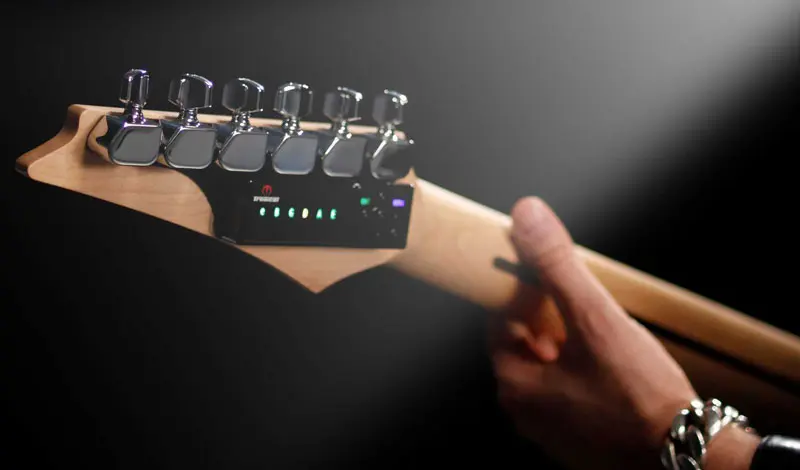
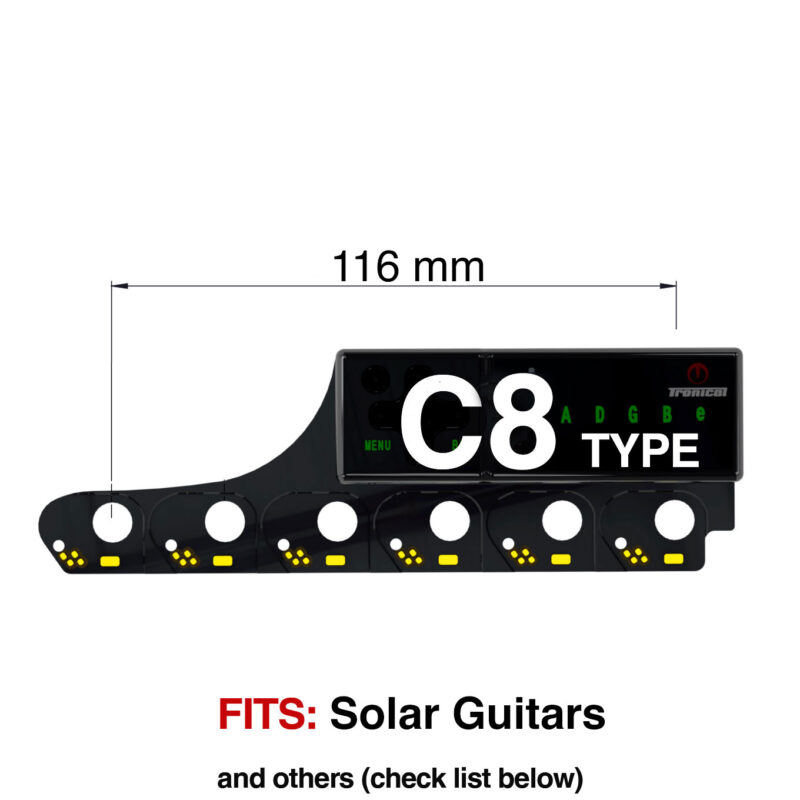
The Tronical Tune is an innovative automatic tuning system that’s been shaking up the market. It’s got motorized tuners and it can flip your guitar in and out of tuning with a simple push of a button—impressive stuff! But here’s where it gets interesting:
Pros of Tronical Tune:
- Automatic Tuning: Instant tuning with no fuss. Just press a button and let the magic happen.
- Precision: The Tronical Tune is designed for spot-on tuning, so you can rock out without second-guessing.
- Smart Features: Multiple configurations and easy adjustments based on your playing style.
Cons of Tronical Tune:
- Pricey: It ain’t cheap! If you’re on a budget, this could sting.
- Weight: It adds a bit of weight to your guitar—something to consider if you’re all about that lightweight vibe.
- Battery Dependent: You’ll want to keep a backup battery handy, or you could find yourself tuning by ear.
So when you compare Guitar Tuna to Tronical Tune, it boils down to preference. If you love true tech and convenience, Tronical could be your jam. If you’re looking for simplicity and versatility, Guitar Tuna has you covered.
Real-World Use Cases
Let’s get real—how does this all translate when you’re on the grind? Let’s consider a few scenarios:
Recommended gear: GForce 2015 / 2016: PowerHead SLS Chrome Tulip
1. Jamming with Friends
Imagine this: you’re in your buddy’s garage, cranking out some tunes. Everyone’s ready, but one dude’s guitar is off. Pull out that Guitar Tuna app, and within seconds, everyone’s in sync.
2. The Solo Performer
Are you a solo artist playing cafes or small gigs? The last thing you want is a guitar that doesn’t sound right. With Guitar Tuna, you can do a quick check before you strum a note, ensuring you hit every sound just right. Plus, the metronome helps keep your rhythm tight!
Recommended gear: Guitar String Stretcher
3. Studio Recording
In the studio, every note counts. You can use Guitar Tuna to get your guitar at peak performance before laying down those tracks. It gives you that confidence to perform like a rock star.
Integrating Tronical Tune and Guitar Tuna
If you’re lucky enough to have both, it’s like having the best of both worlds. Start with your Tronical Tune for automatic precision, then touch up with Guitar Tuna for any fine-tuning you need. That combo is killer!
FAQs About Guitar Tuna
1. Is Guitar Tuna free?
Yep! You can download Guitar Tuna for free, but there are some premium features you can grab if you want to level up your tuning game.
2. Does Guitar Tuna work with electric guitars?
You bet! It works great with electric guitars as well as acoustics, so plug in and tune up.
3. How accurate is Guitar Tuna?
It’s pretty darn accurate! While you might not get the ultra high-tech precision of Tronical Tune, it’s more than enough for everyday use.
4. Can I use Guitar Tuna offline?
You can! Once you’ve downloaded it, you can use it without an internet connection, making it perfect for those remote jam sessions.
5. What’s the best way to tune with Guitar Tuna?
Start off by letting it listen to your guitar, then adjust the strings as needed. Follow the visual cues, and you’ll be in tune in no time.
Conclusion
In the world of guitar tuning, Guitar Tuna is like that solid rhythm guitarist—you can always count on it. It’s user-friendly, versatile, and just plain works. Whether you choose to rock with it solo or pair it up with the Tronical Tune for a turbo boost, you’re making a smart choice. So download that app, grab your gear, and let’s hit those notes like the rock stars we are!
{“@context”:”https://schema.org”,”@type”:”Article”,”headline”:”Rock Your Strings: The Lowdown on Guitar Tuna”,”image”:””,”author”:{“@type”:”Person”,”name”:”Rock Guitarist”},”publisher”:{“@type”:”Organization”,”name”:”Music Lovers Blog”,”logo”:{“@type”:”ImageObject”,”url”:””}},”datePublished”:”2023-10-01″,”articleBody”:”When it comes to getting your guitar in tune…”}